
Get the App on iPhone
No App Store, no download size, no updates. Add it straight from Safari and it works just like an app.
Takes about 30 seconds-
1
Open g4sg.com in Safari
This only works in Safari — if you're in another app or browser, copy the link and open it in Safari first.
-
2
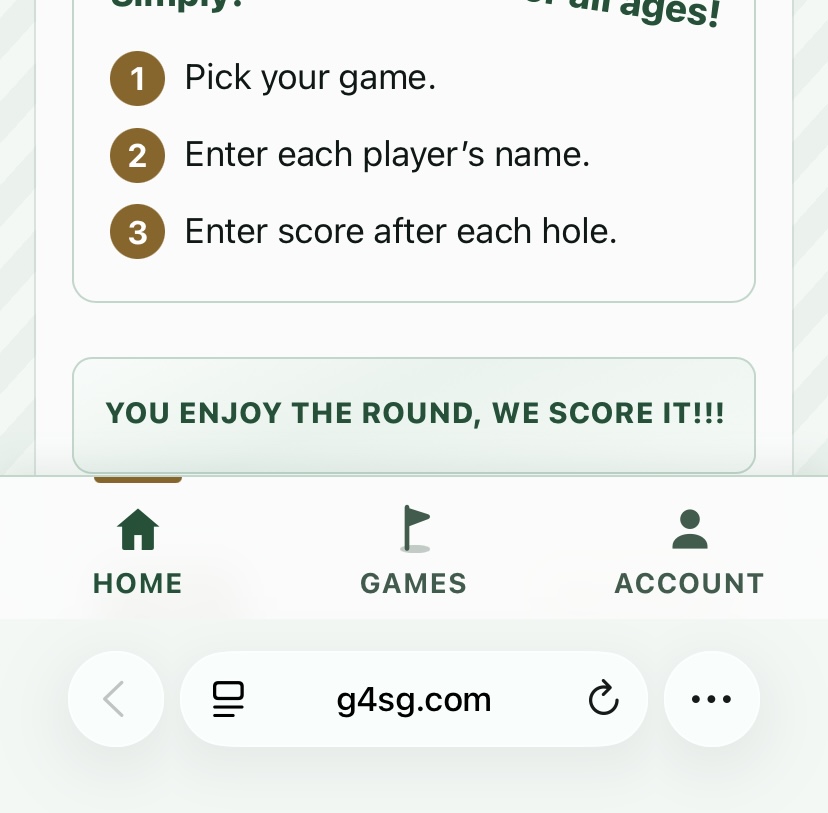
Tap the ⋯ button next to the address bar
-
3
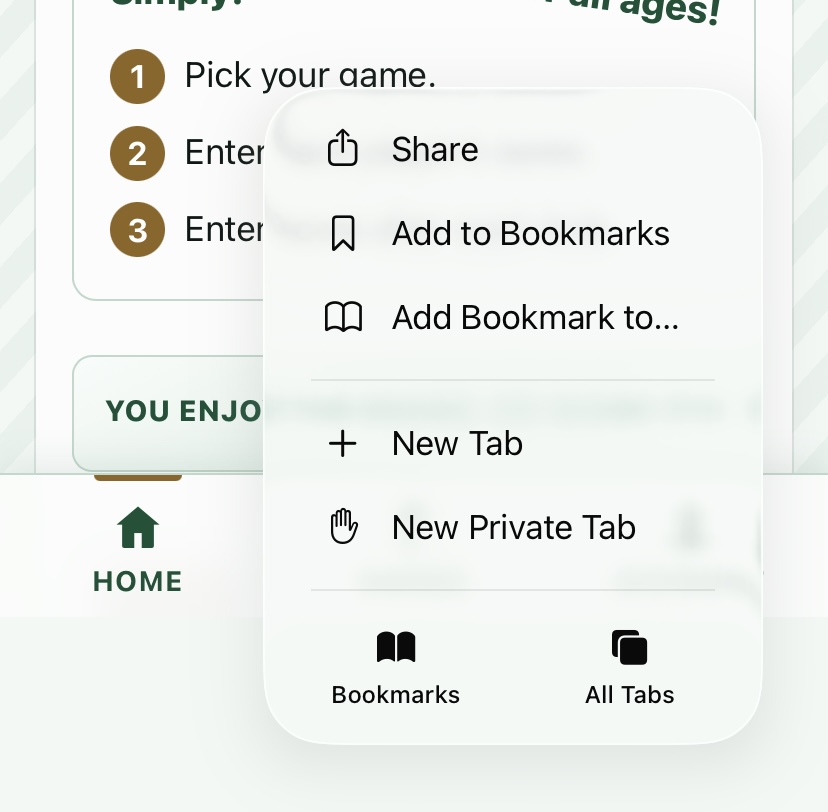
Tap Share at the top
-
4
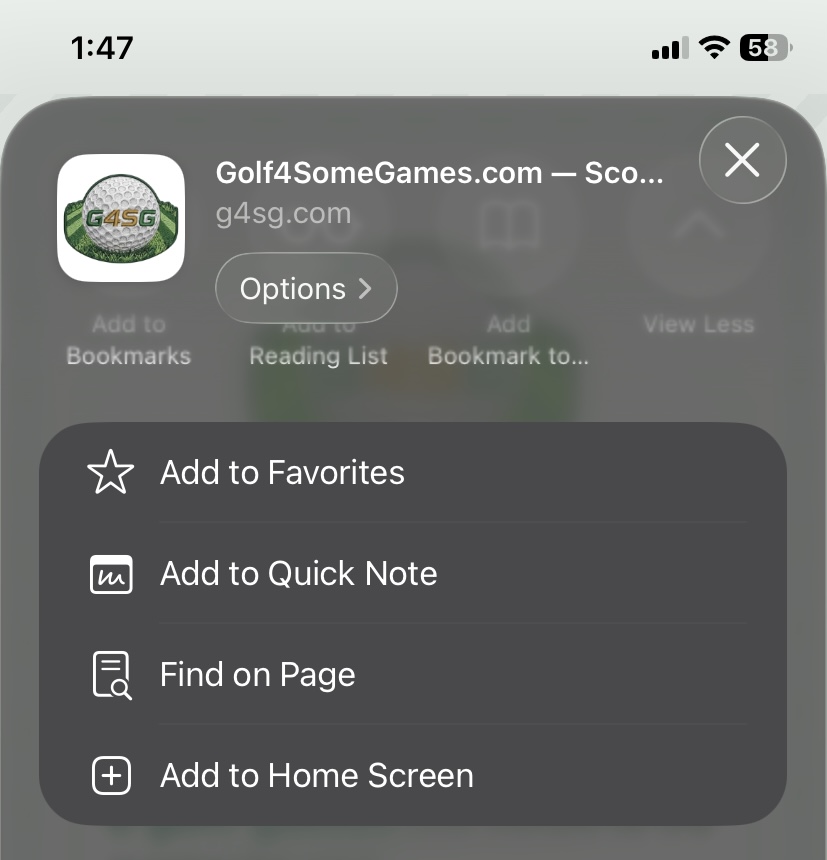
Scroll down and hit Add to Home Screen
-
5
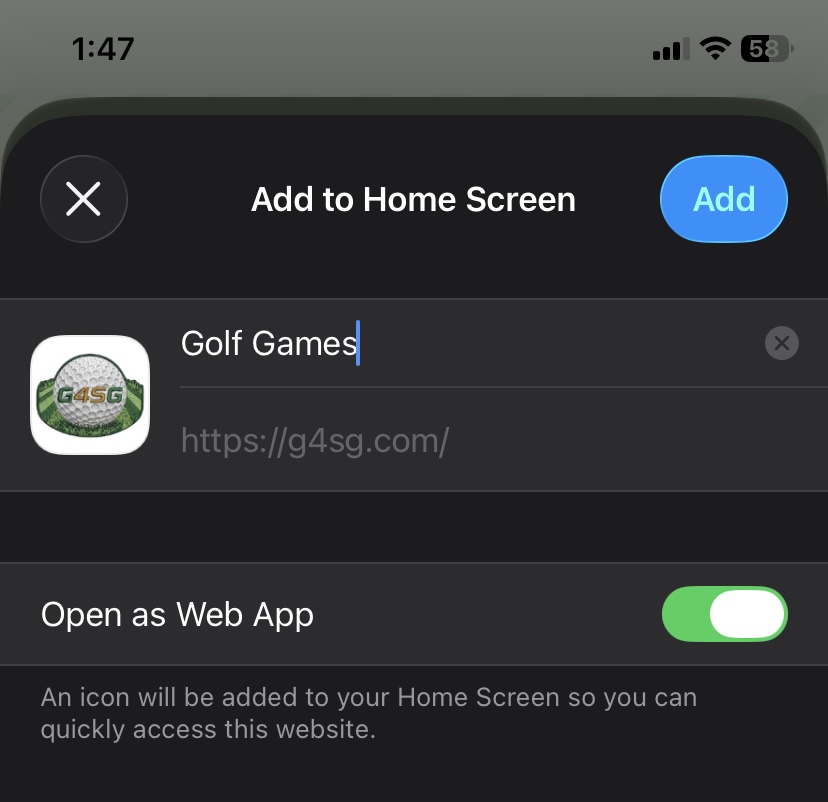
Tap Add
Leave “Open as Web App” switched on.

You're all set!
Golf Games is now on your home screen. Tap it anytime — it opens full screen, just like an app.